2+
In this case study
Overview
- Role
- Product design & application development
- Timeline
- 2026 · Approx. six months, ongoing
- Scope
- Internal bill-production tooling, from Figma design to template code and live-area assets.
- Team
- Built by me using Cursor, working with developers on the production handoff.
A bill design is only the beginning of production. Teams also need to define its measurements, content rules and behaviour before developers can build a template that works with customer data.
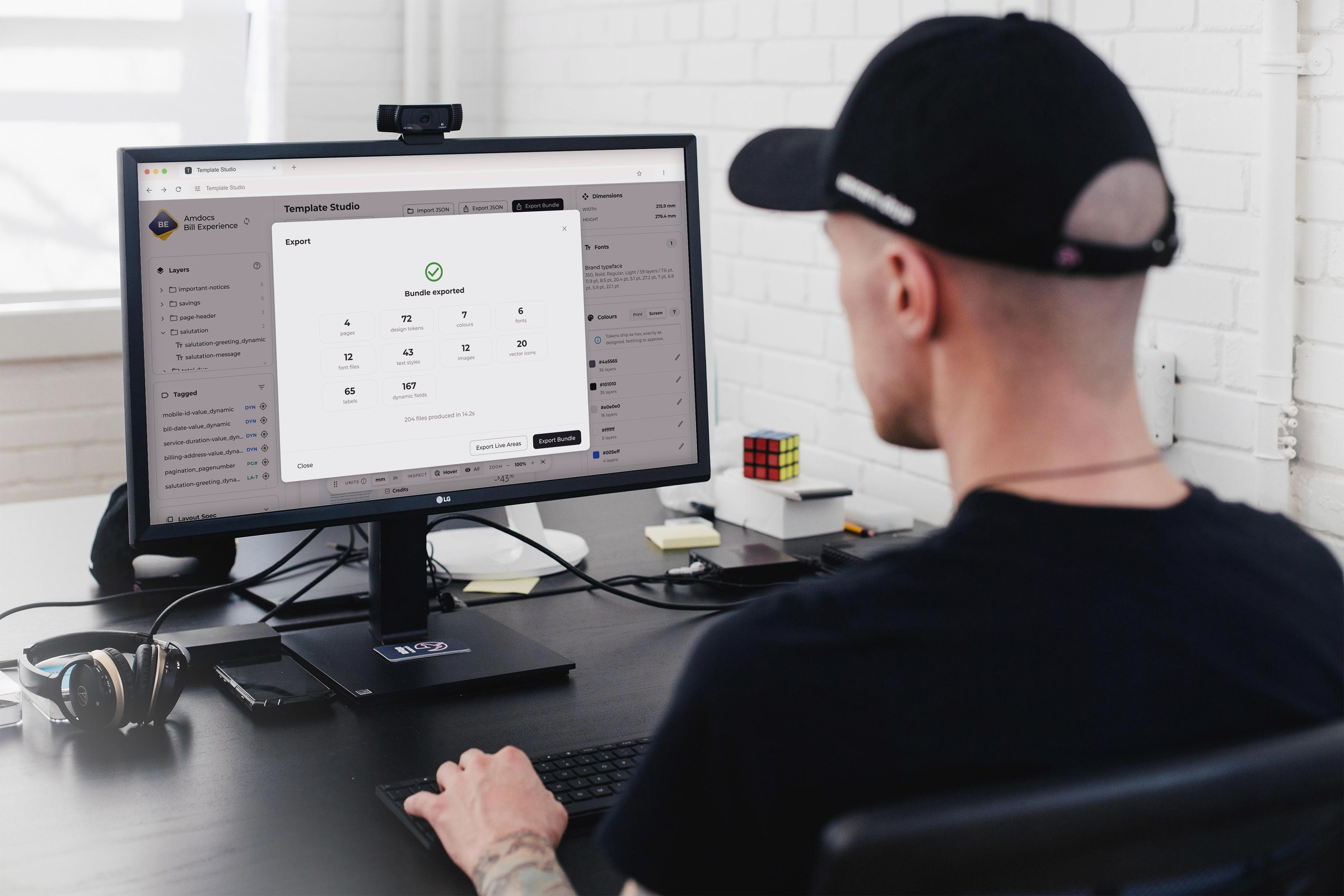
The Amdocs Bill Experience team was challenged to find a direct route from design to FOP production: the process that turns bill templates and customer data into finished bill documents. I took ownership of that challenge and built Template Studio using Cursor.
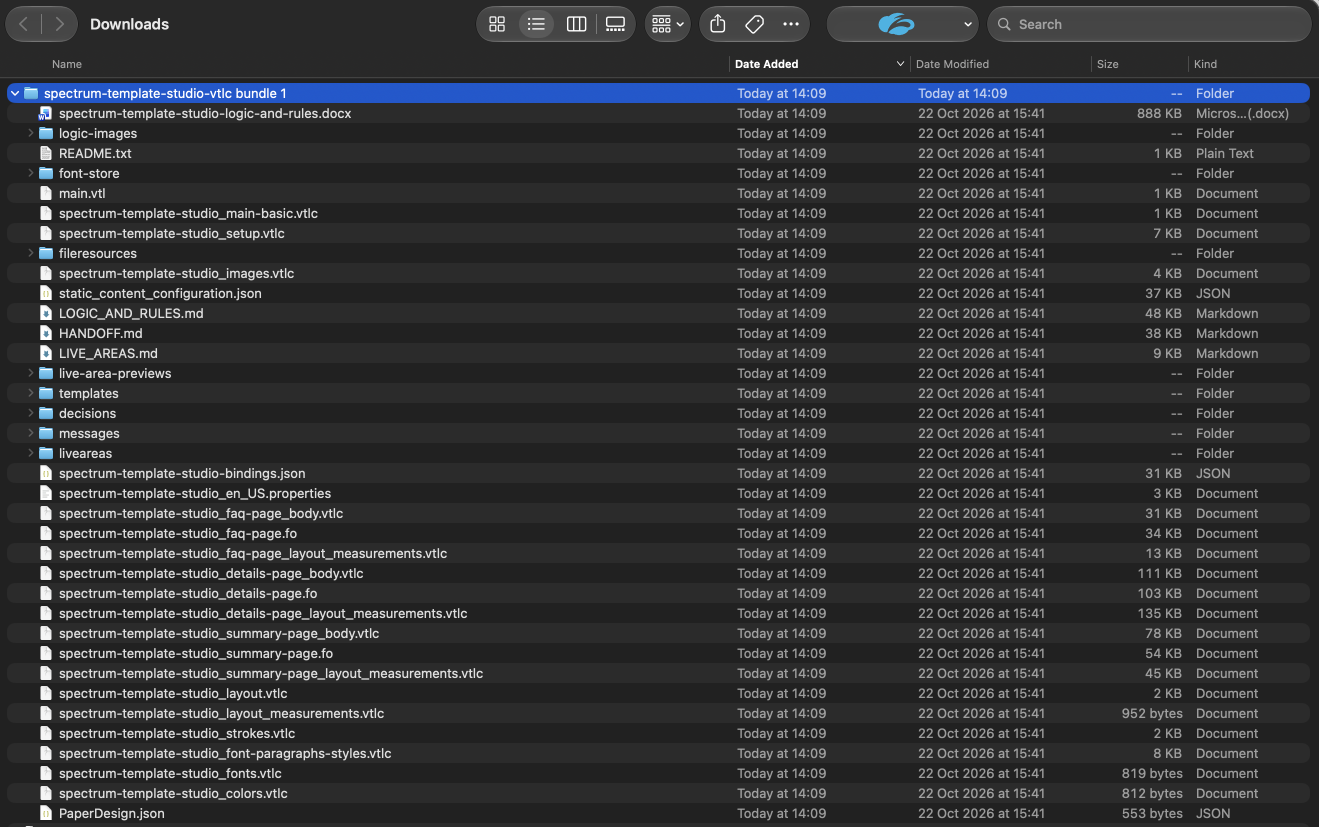
The application reads a Figma design, captures how its content should behave and generates the template files for development. It also produces the designed live areas as HTML, with their images and styling taken from the same Figma source. A developer’s AI agent then uses that bundle, alongside the customer’s data mapping, to connect the design to real billing data.
Successful early tests in the ongoing customer pilot have already connected the generated bundle through the developer’s agent. Design now hands over code, assets and rules that development can work from directly.
From design to a tested bill
Template Studio workflow
Previous workflow
The problem
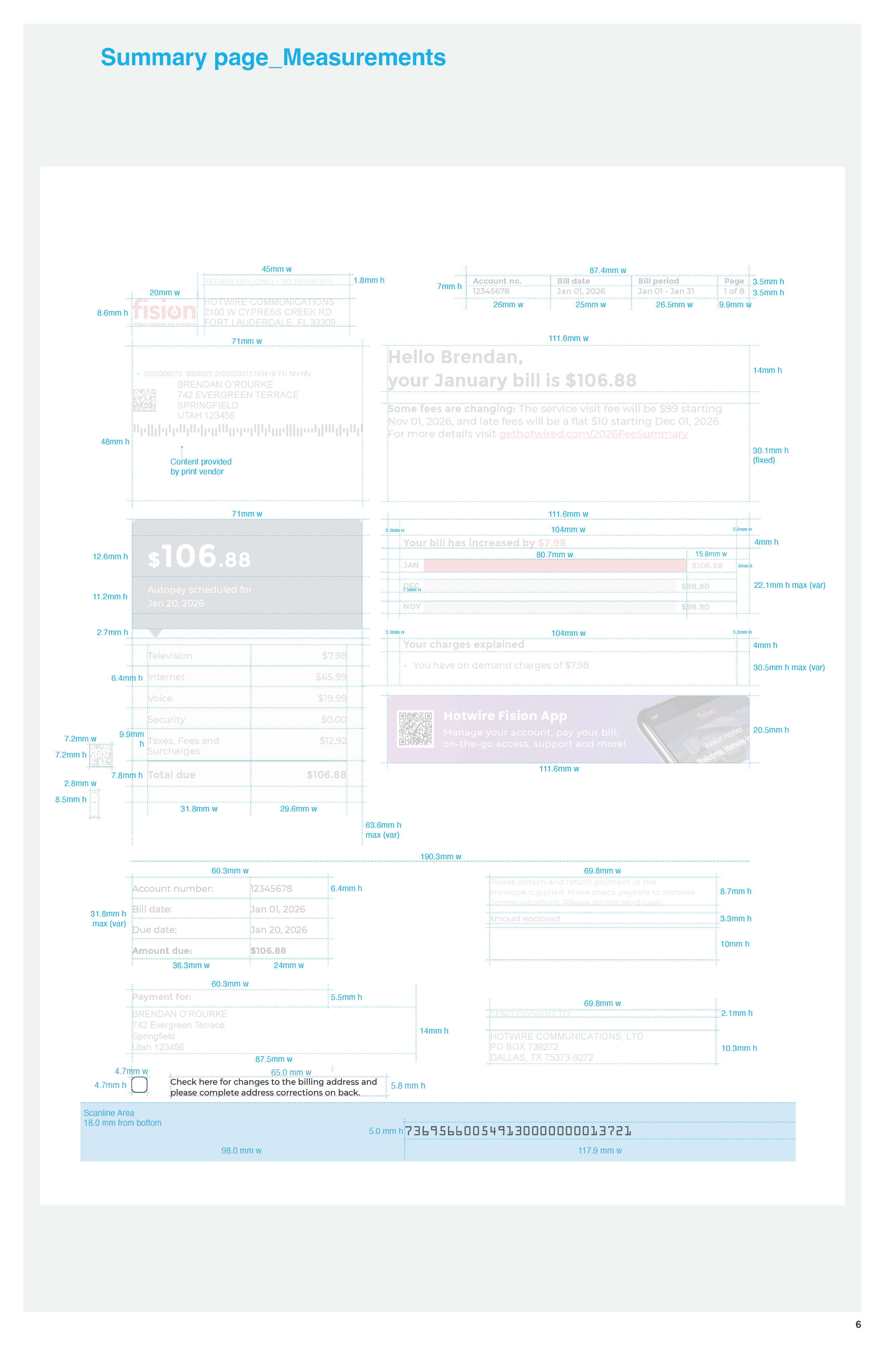
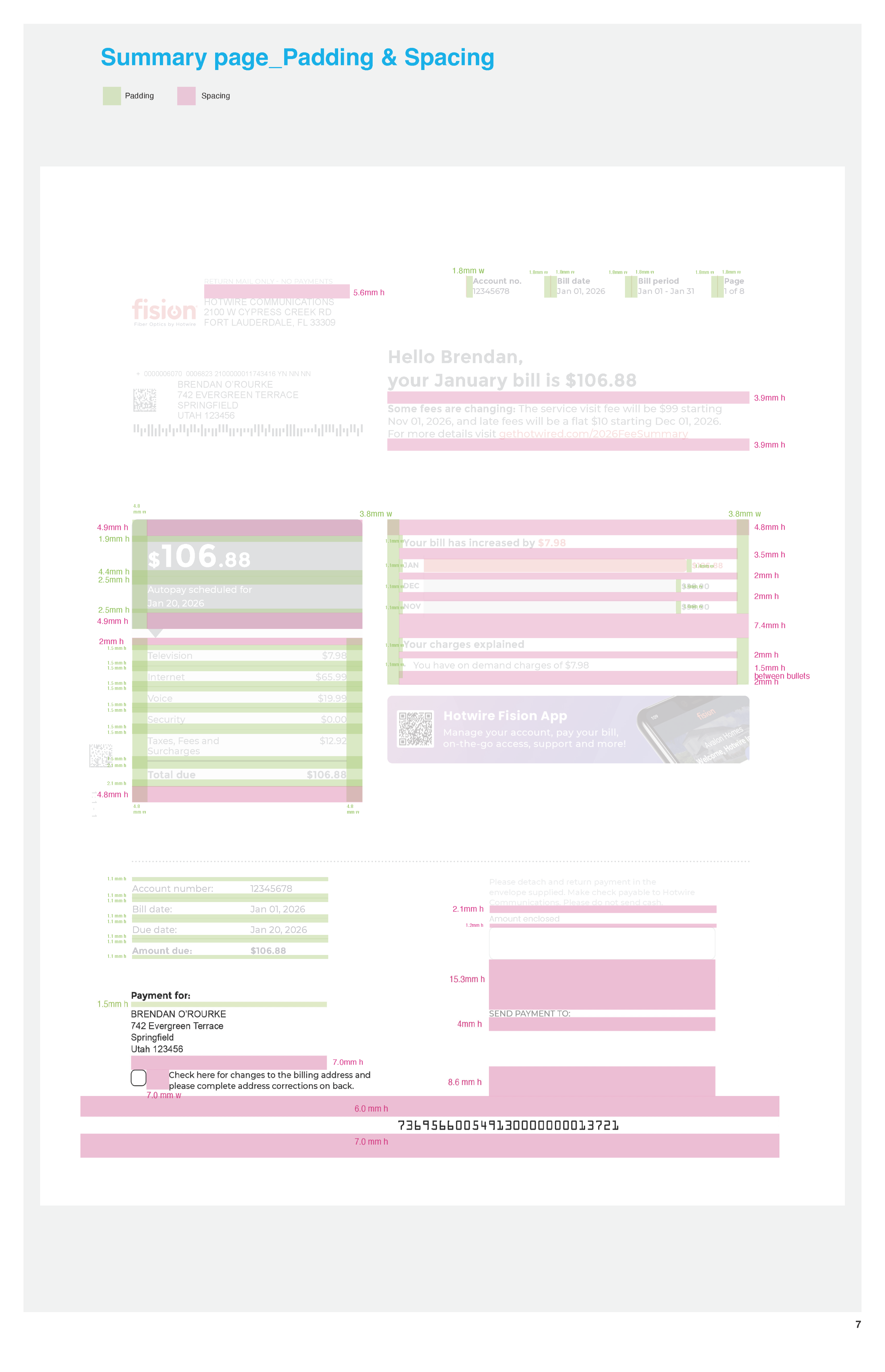
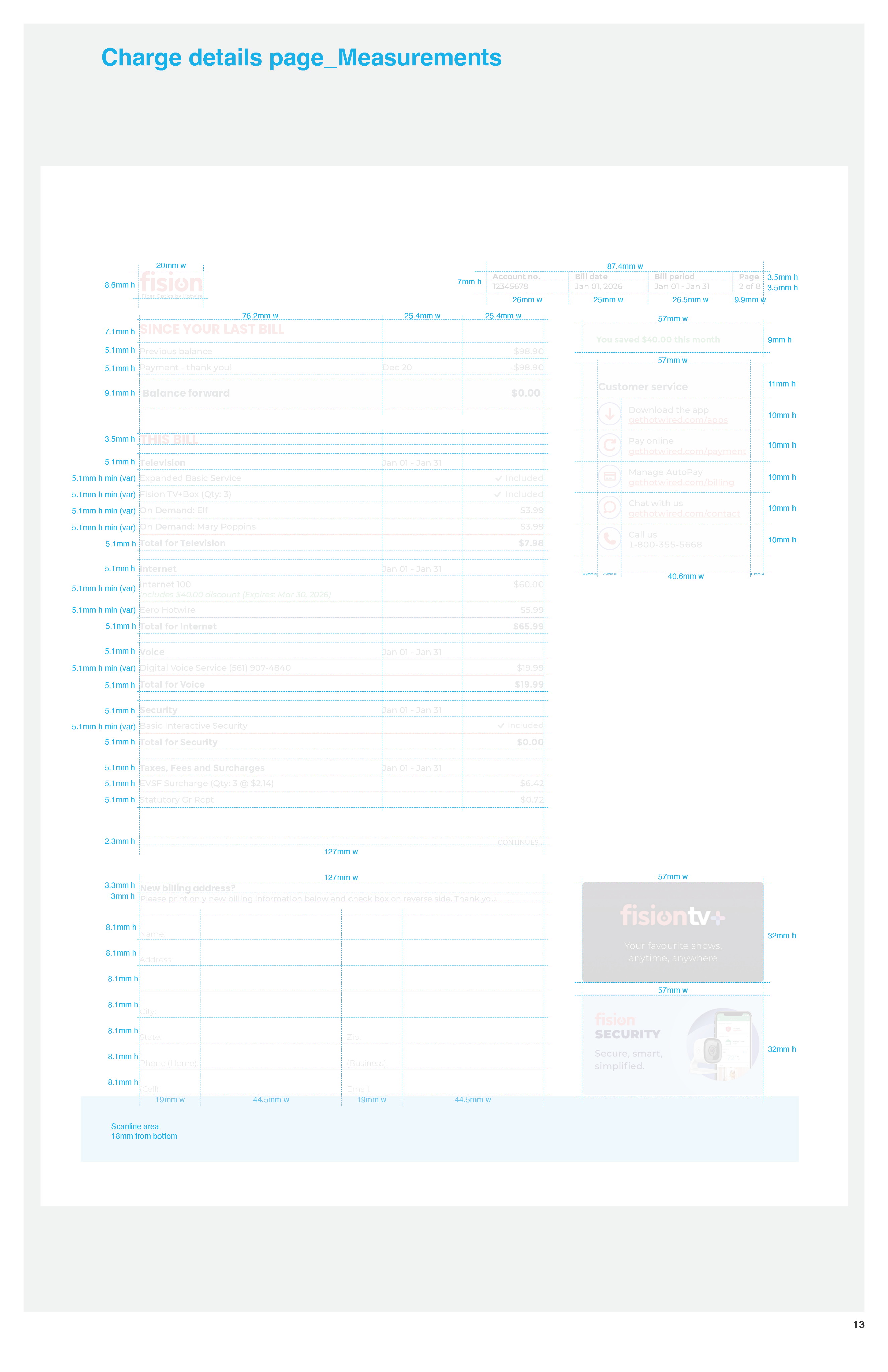
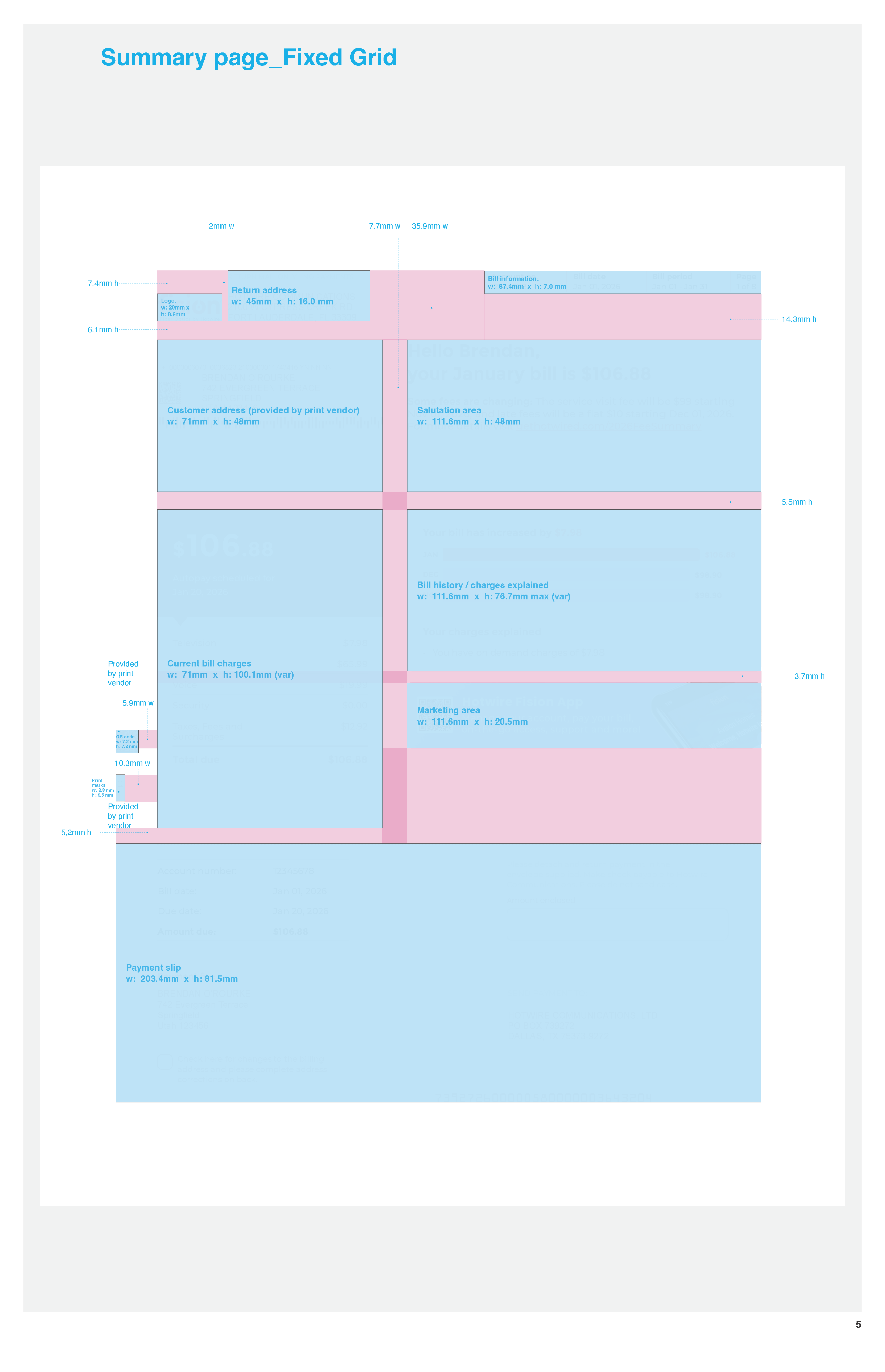
The existing workflow began with bill designs in InDesign, followed by detailed layout specifications, separate logic and rules documents, and manual template construction. Each described another part of the same bill.
A layout change could affect measurements, content limits and page breaks. A rule change could affect which sections appeared and how the remaining content moved. Keeping those decisions aligned created work across design, development and QA.
I had worked through these requirements on billing projects. The opportunity was to carry more of that intent directly from the design into the template, reducing the work needed to describe and rebuild it.
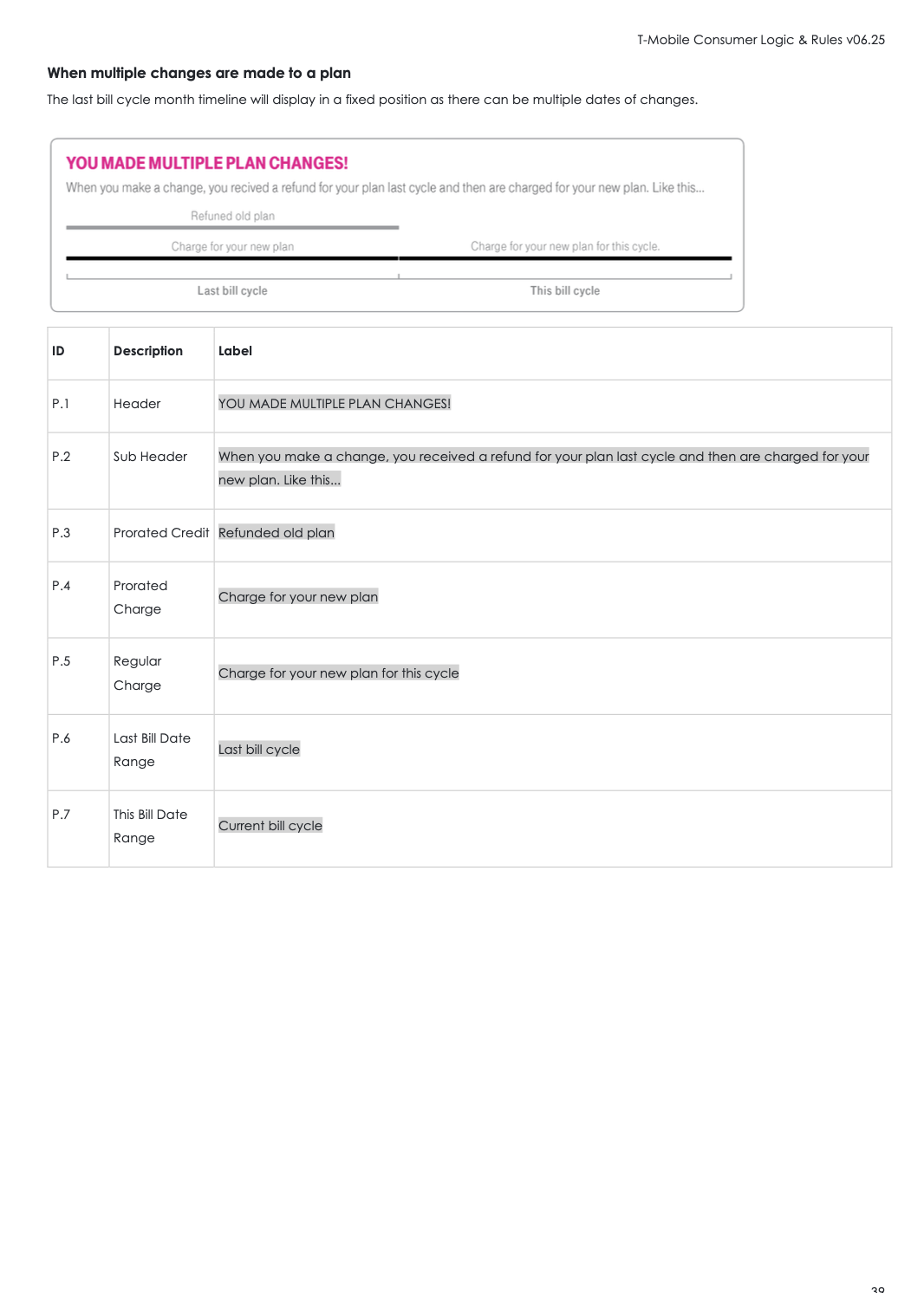
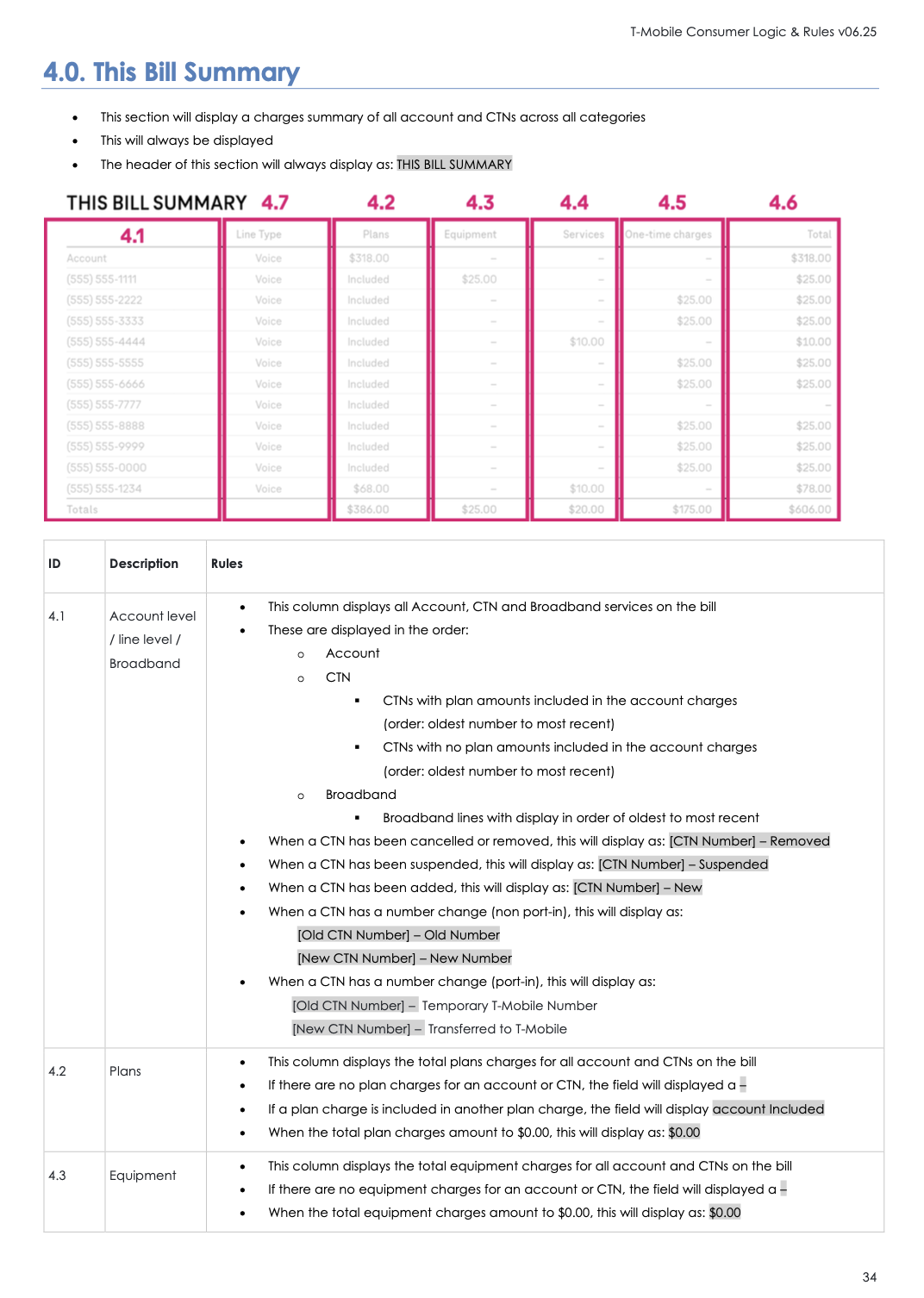
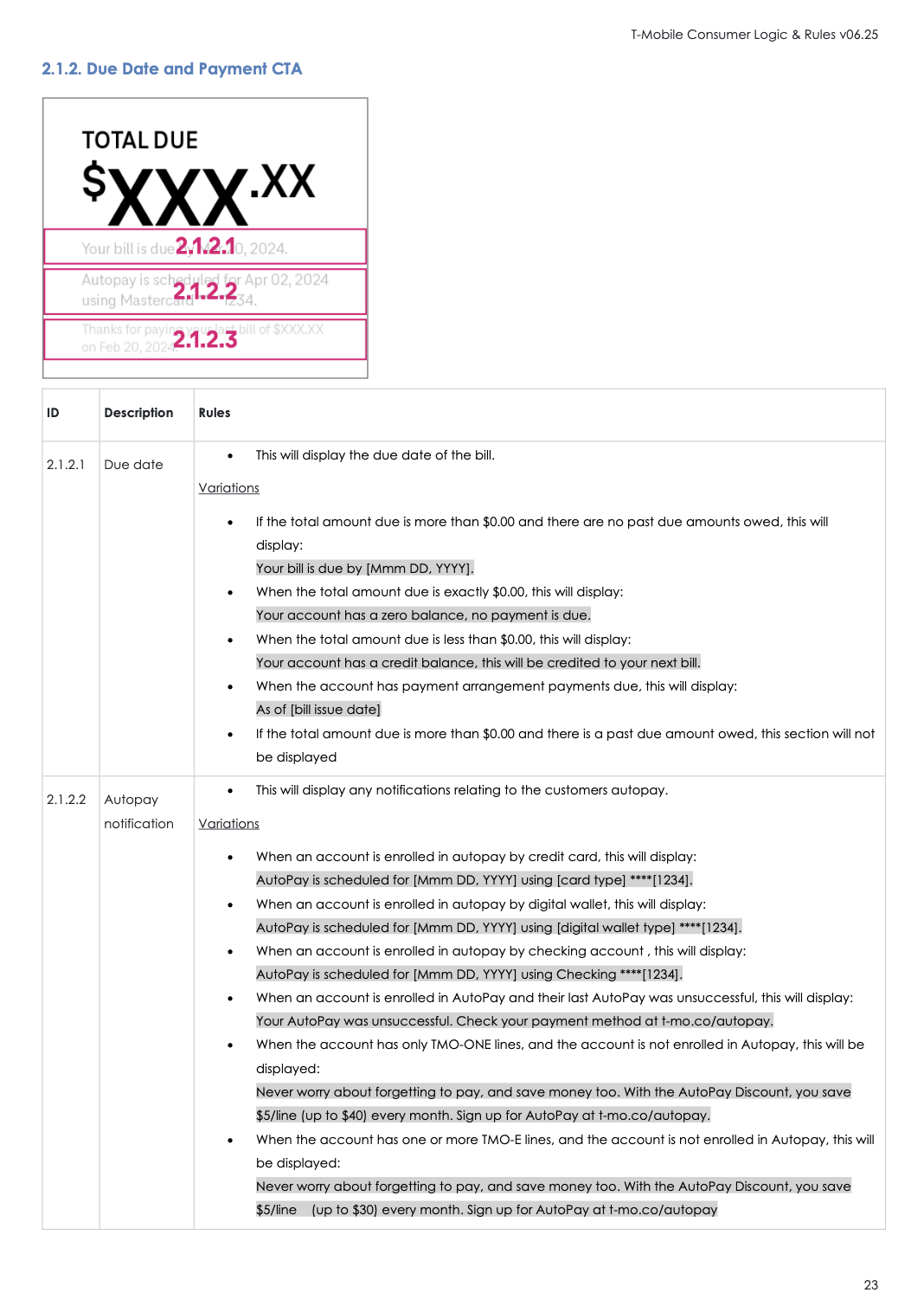
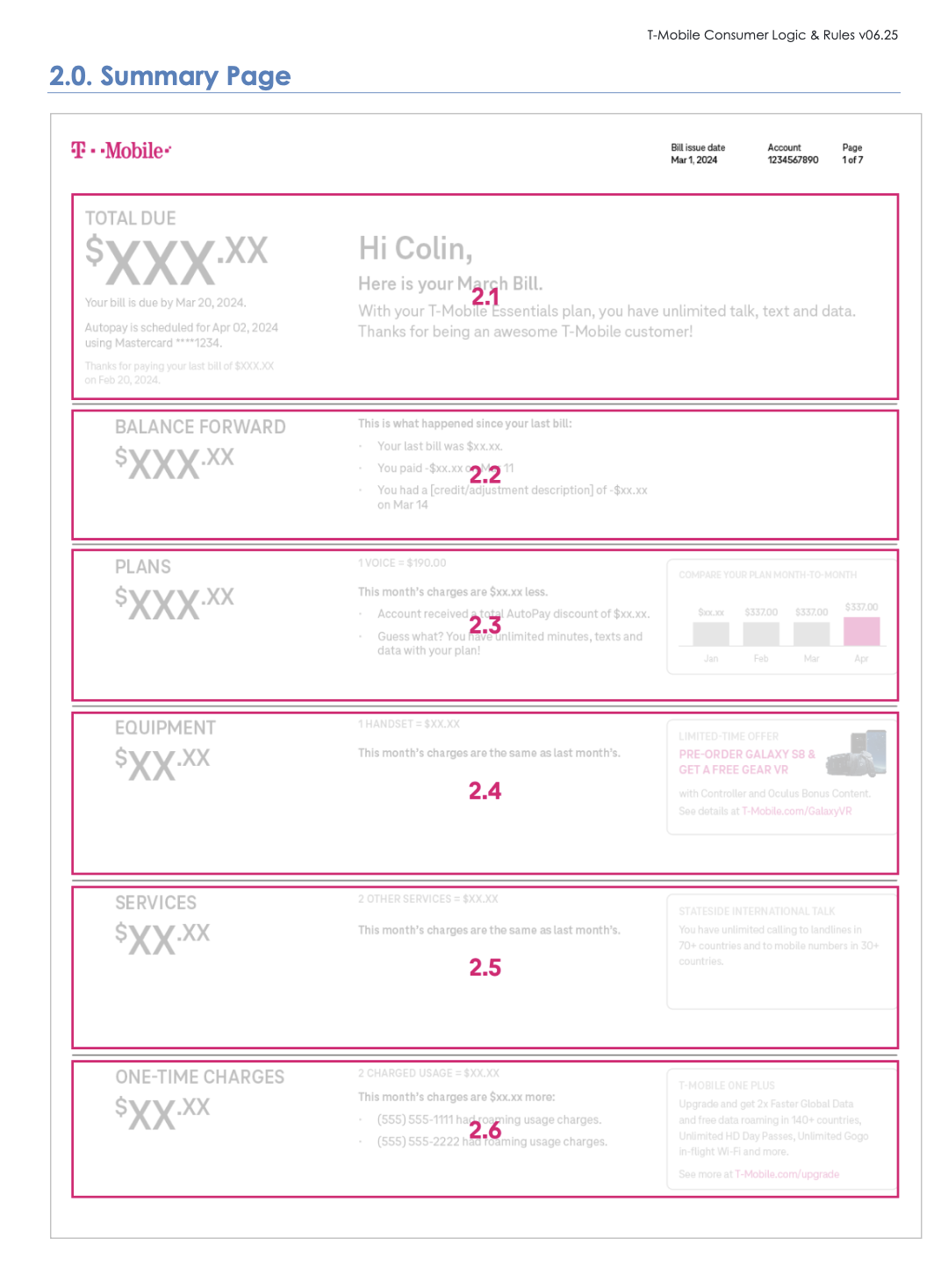
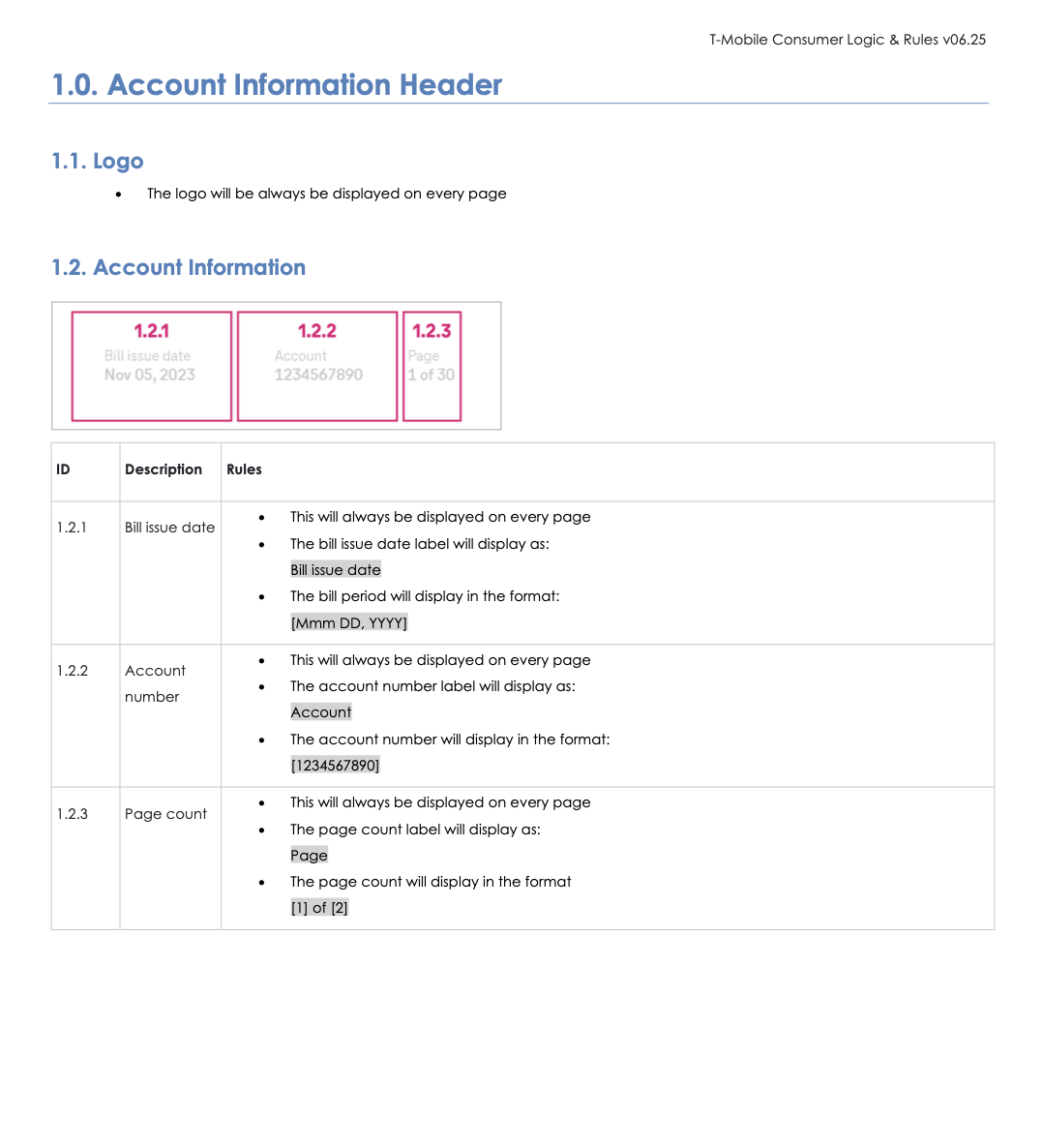
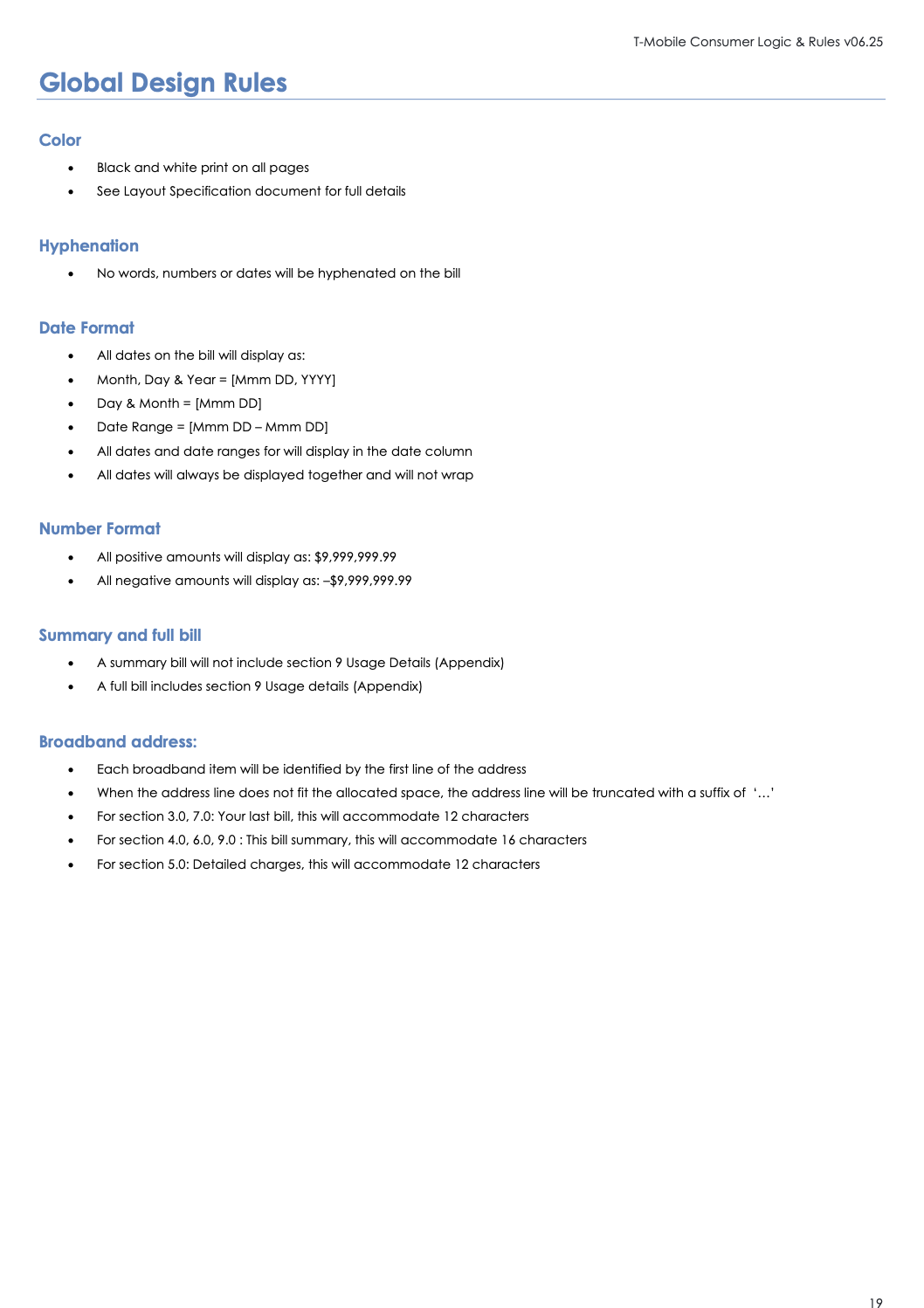
Examples from previous billing projects: Hotwire layout specifications and T-Mobile logic and rules.
Previous layout specifications
Previous logic & rules
My role
Over approximately six months, I built Template Studio and its supporting preview, scenario and checking tools using Cursor. I owned the application from the source workflow through to generated output and handoff checks.
Developers supplied code repositories from previous bills. I used those as references to work backwards from the required template structure and build a tool that could generate it from design.
I designed the interface and interaction model around the people preparing the bills: designers working with familiar pages, layers and visual selections.
The work connected product design with production requirements: physical dimensions, print colours, variable content, repeating sections and the files developers needed to continue the build.
Developers retained responsibility for connecting customer data and taking the templates through the production pipeline. My contribution was the application and the generated handoff that made that next stage possible.
What the tool had to solve
A finished Figma screen shows one example of a bill. A production template must handle many customers, different amounts of content and changing account conditions.
Names and addresses can grow. Charge tables can repeat across pages. Optional sections can disappear. Totals need to stay together, while headers, footers and selected content retain their position.
The application also had to translate screen-based design measurements into physical print units and support print-colour approval. Generating a visual copy alone would not solve the production problem.
A familiar workspace
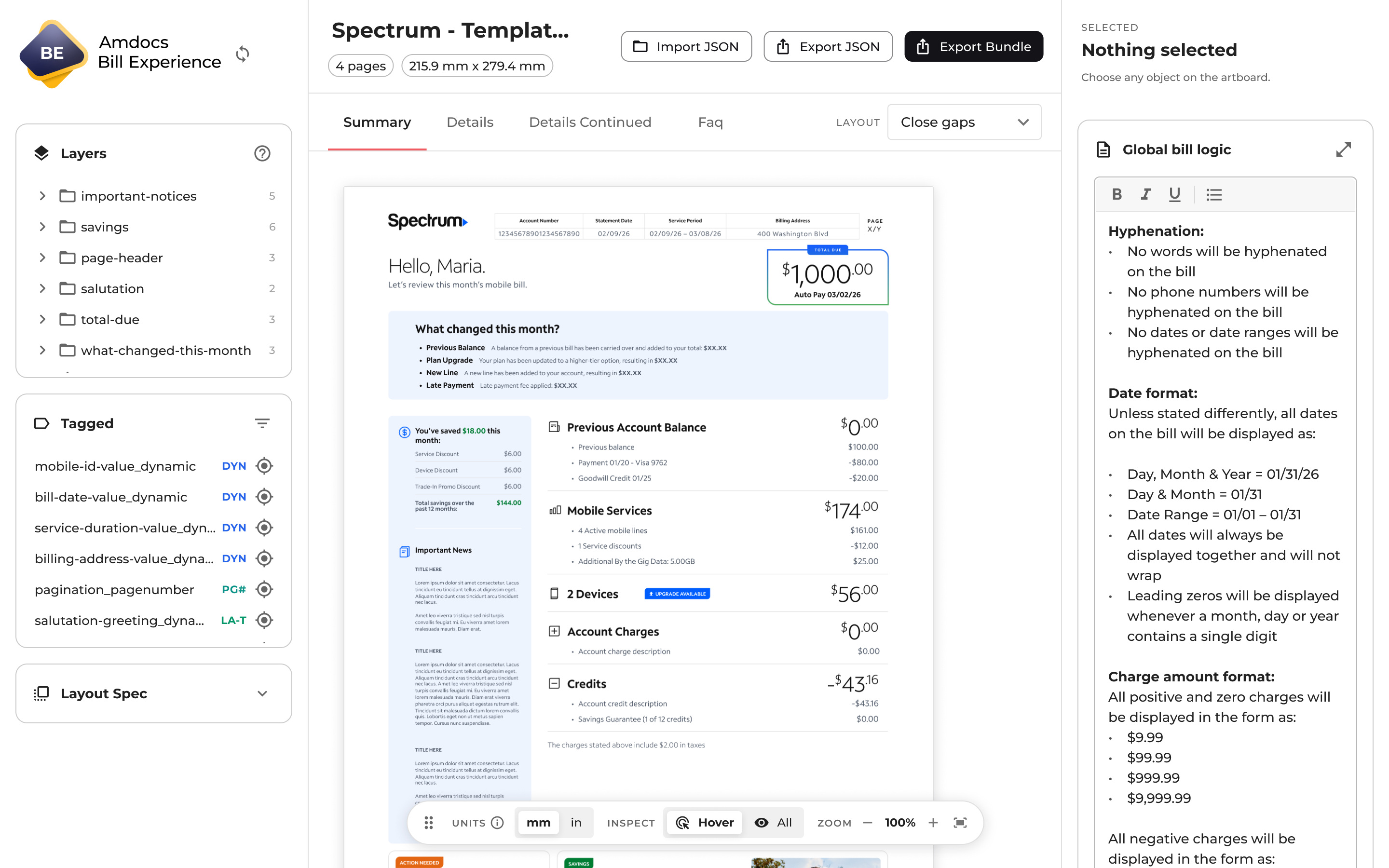
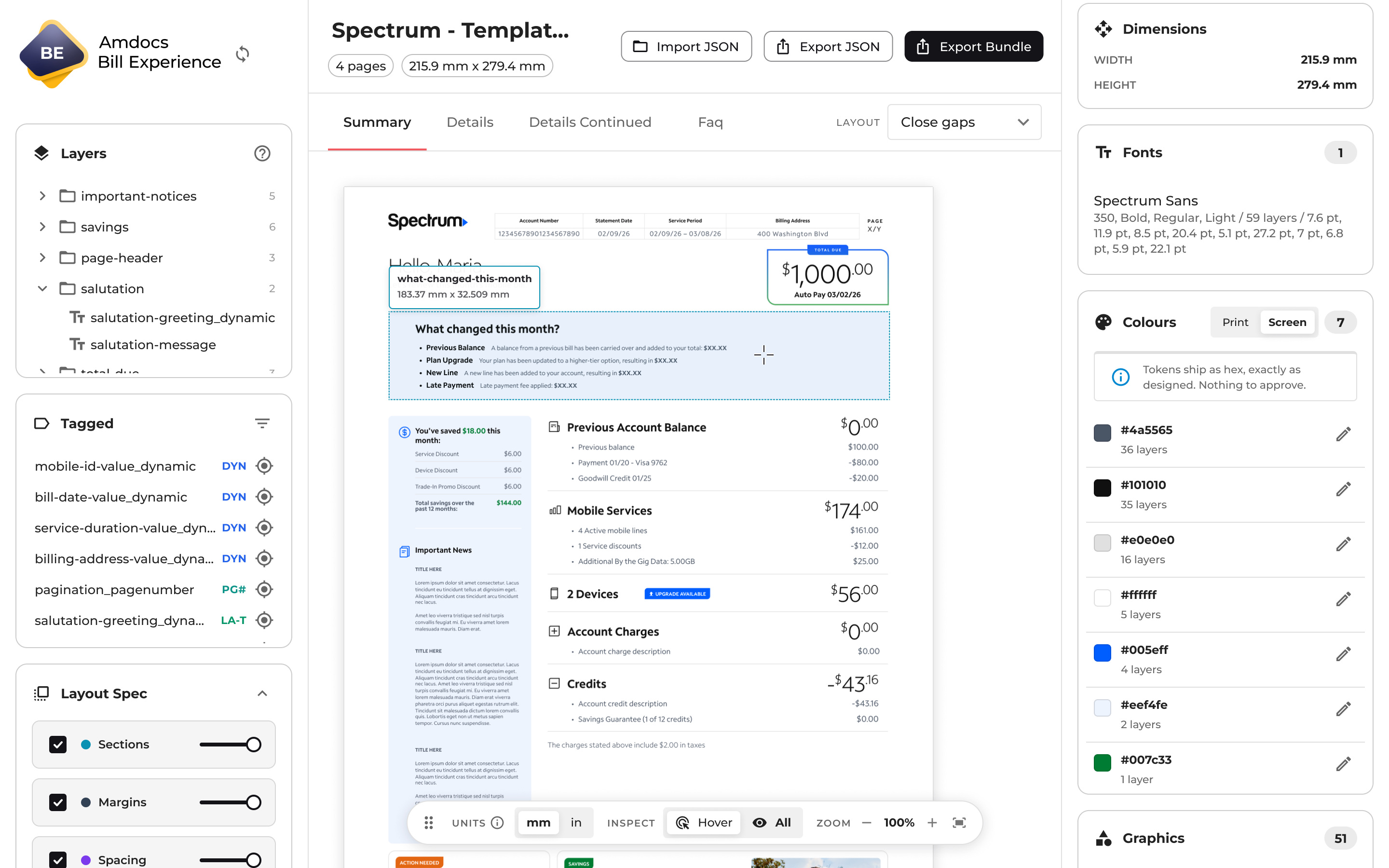
Template Studio needed to make production behaviour accessible to designers. I used a canvas-centred layout familiar from Figma and Cursor: navigation on the left, the bill in the centre and contextual controls on the right.
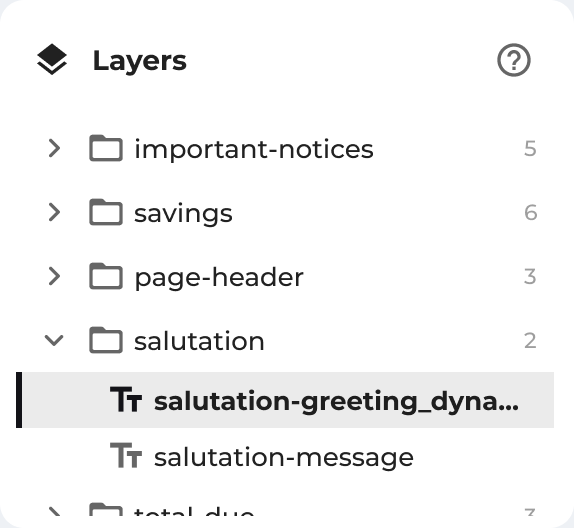
The layers panel syncs directly from Figma, preserving the structure designers already know. Selecting an element on the canvas or in the layer list brings its settings into the inspector. Designers can connect the rule they are defining to the exact part of the bill it affects.
A separate tagged list helps them find the elements already marked for production. Filters and canvas highlights support checking a complex bill without searching every layer individually.
The design intent was to build on existing habits while introducing new production tasks. Familiar navigation provided orientation; the inspector introduced the additional decisions needed for code generation.
Decision 01
Change the source workflow
The first decision was to move from InDesign to Figma. I stepped back from the existing process and considered what a direct route to code actually needed: access to the design’s structure.
Figma’s API made pages, layers and styles available to the application. Figma became the source of truth for the design and its measurements, which the tool reads directly rather than asking someone to copy them into a document.
This removed the human transcription errors that could enter the old layout specifications, along with the back-and-forth questions needed to clarify them. The design information now feeds the generated template files.
The change also required preparation. Page markers, meaningful layer names and structured groups gave the tool information it could use. Designers still needed to organise the design, but that preparation could now contribute directly to the output.
Decision 02
Define content behaviour
Measurements could describe where something sat. They could not explain what happened when a customer had more charges, a longer address or no data for a section.
I built controls for dynamic content, repeating sections, optional elements and page behaviour. Designers could select the relevant part of the bill and record its rules in context.
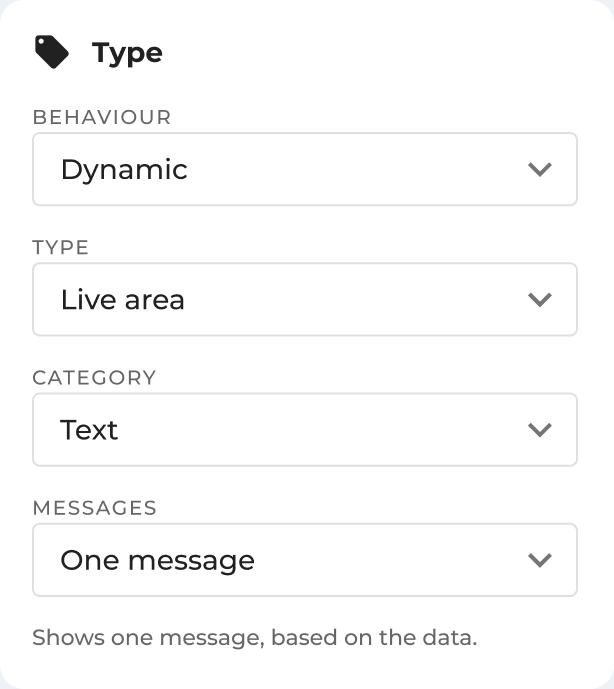
The inspector breaks the task into Behaviour, Type, Category and Messages, with controls relevant to the selected content. Plain-language choices such as “Only if data” and “Repeats per record” let designers describe intent through the interface. Expanded rule editors provide room for longer explanations while keeping the bill visible in the main workspace.
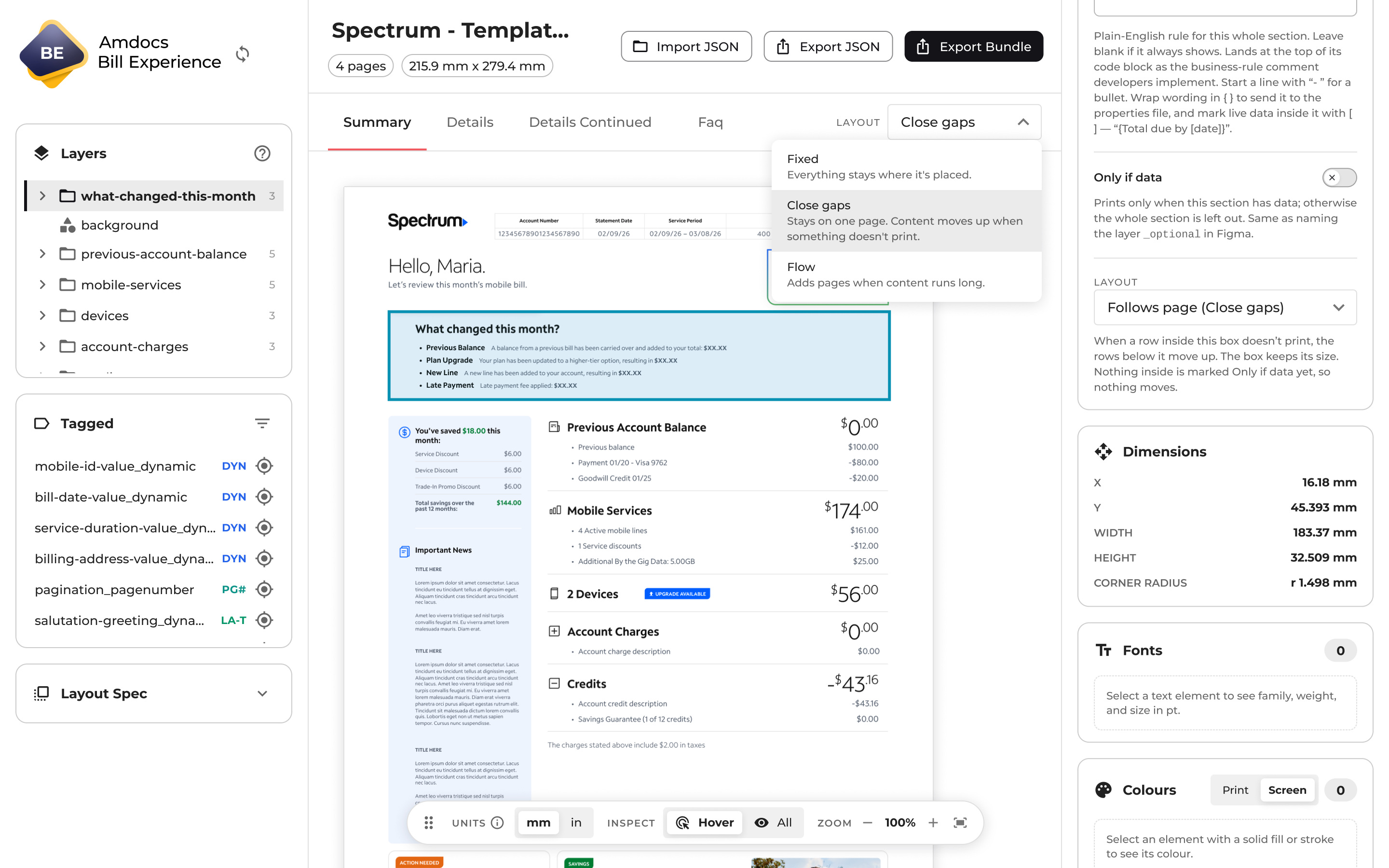
Fixed pages preserved placement. Close gaps moved content up when optional information disappeared. Flow allowed content to continue across pages. Continuation designs and keep-together rules supported longer bills.
This required more thought than a simple export button. It gave developers a structured template and the business-rule notes needed to complete its behaviour.
Making the layout work for every customer
One of the hardest challenges was making the layout respond to each customer’s data. If a section had nothing to show, it needed to disappear and give its space back. Content below it had to move up, while other elements retained their position. Longer lists introduced another condition: the bill had to continue onto a new page without breaking the structure.
I used Cursor to develop support for these different behaviours, working from the billing scenarios the template needed to handle. The result combined optional sections, gap-closing layouts, flowing pages and rules for content that must stay together.
The dummy-data tests I built provided a way to stress-test the bundle’s layout and logic across content scenarios.
The interface made those behaviours explicit so designers could choose what should happen to a page or section. This connected a difficult implementation problem to a clear product interaction. New bill designs continue to reveal combinations that need refinement.
Design reference → Dummy-data test output
Longer lists continue onto another page
Decision 03
Check the handoff before the agent runs
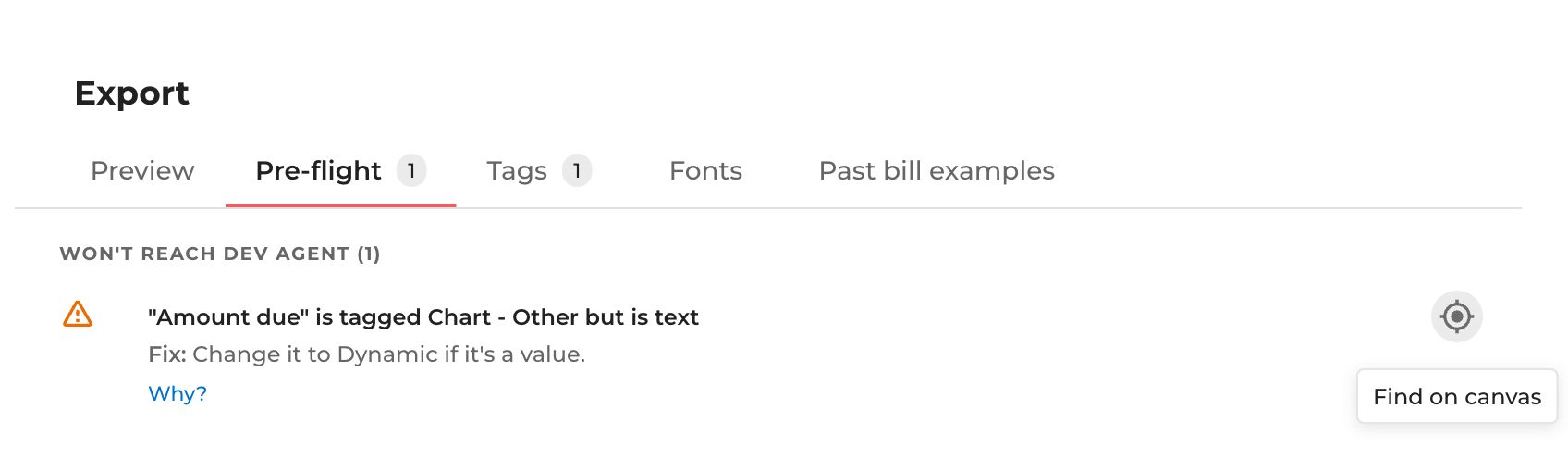
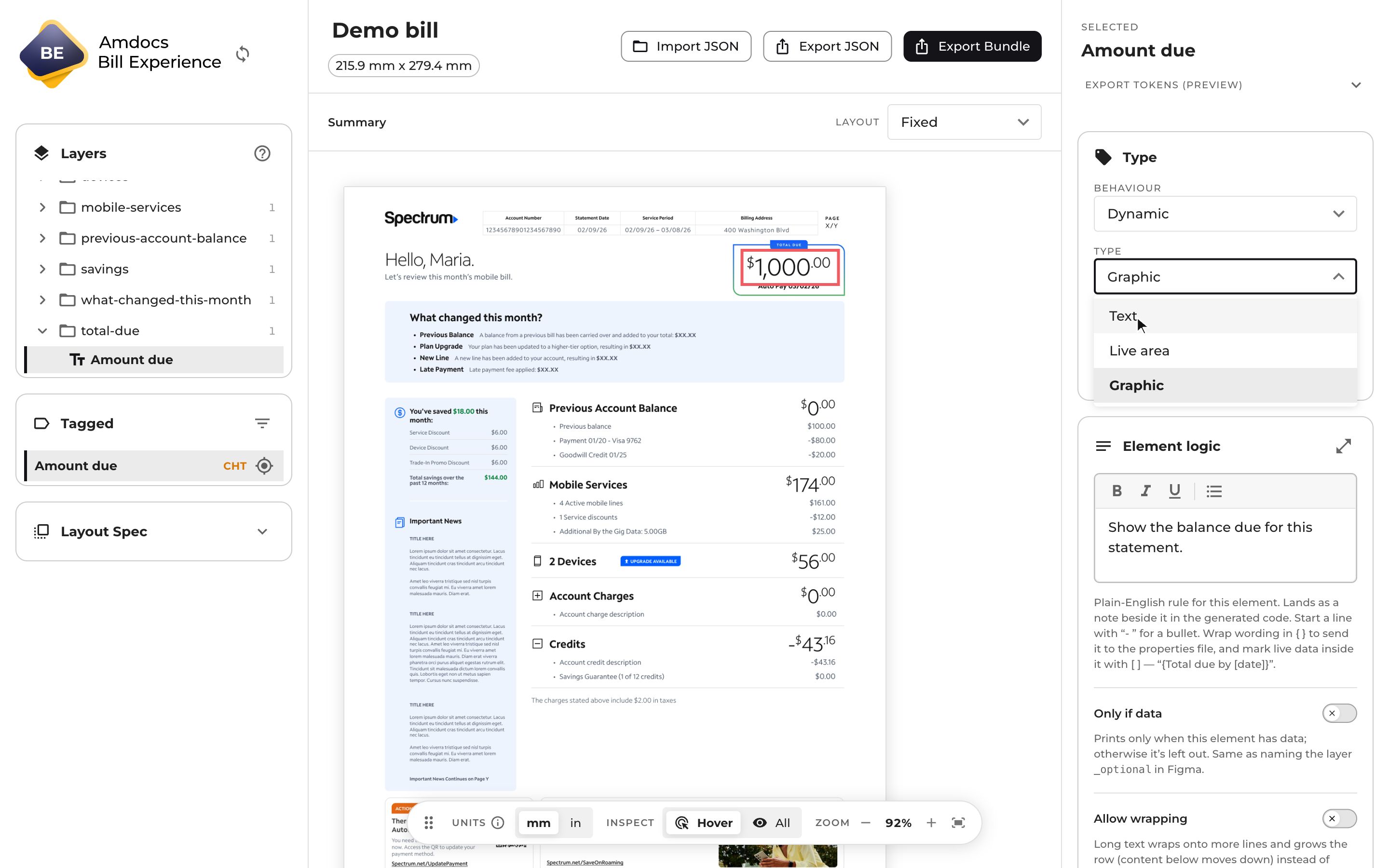
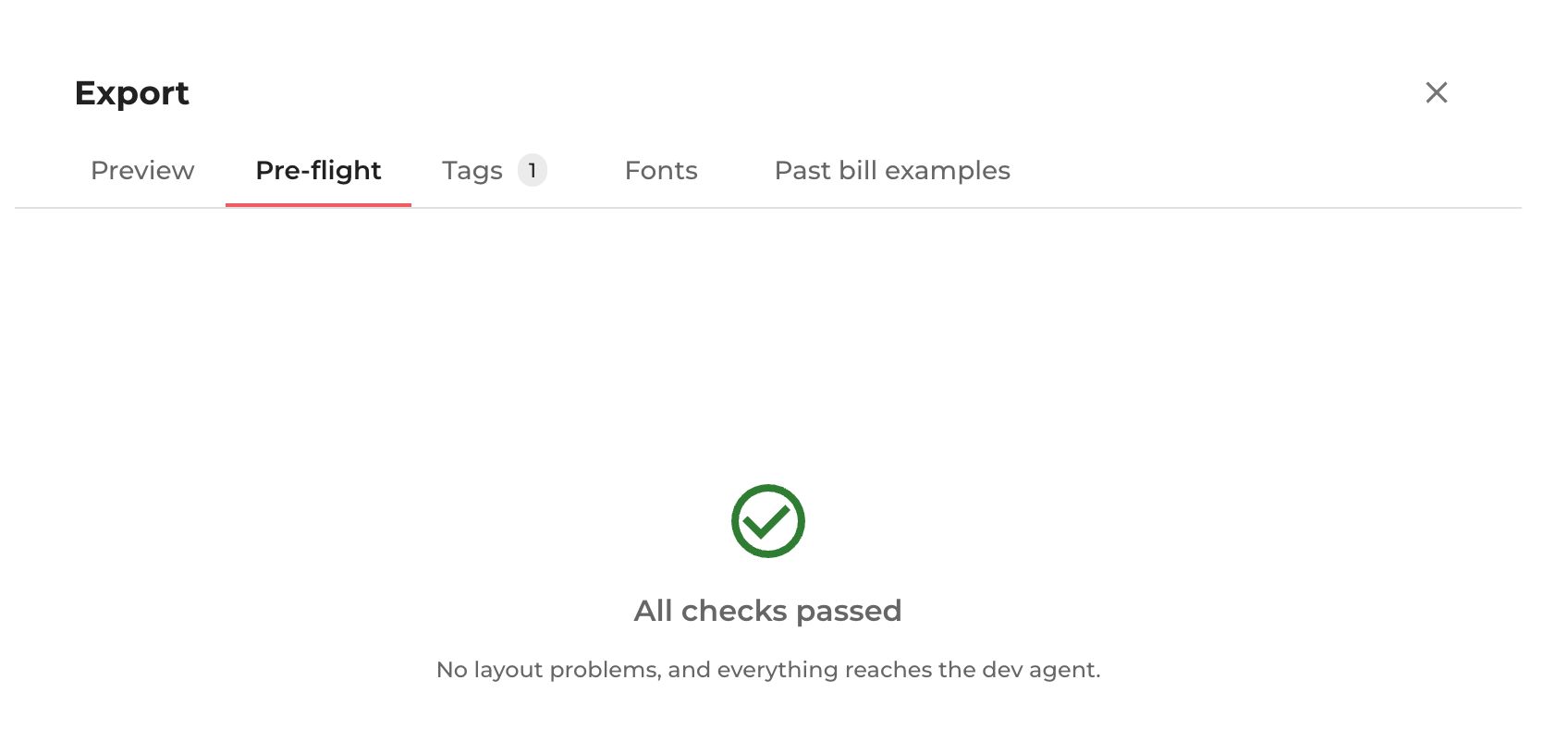
In a demo bill, pre-flight flagged the Amount due layer because it was tagged as a chart even though it contained text. The warning suggested treating it as a dynamic value. “Find on canvas” closed the export preview and selected the amount on the Summary page. I linked the warning to the layer so the designer could fix it with the bill still in view. Changing Type from Graphic to Text and reopening pre-flight returned “All checks passed”.
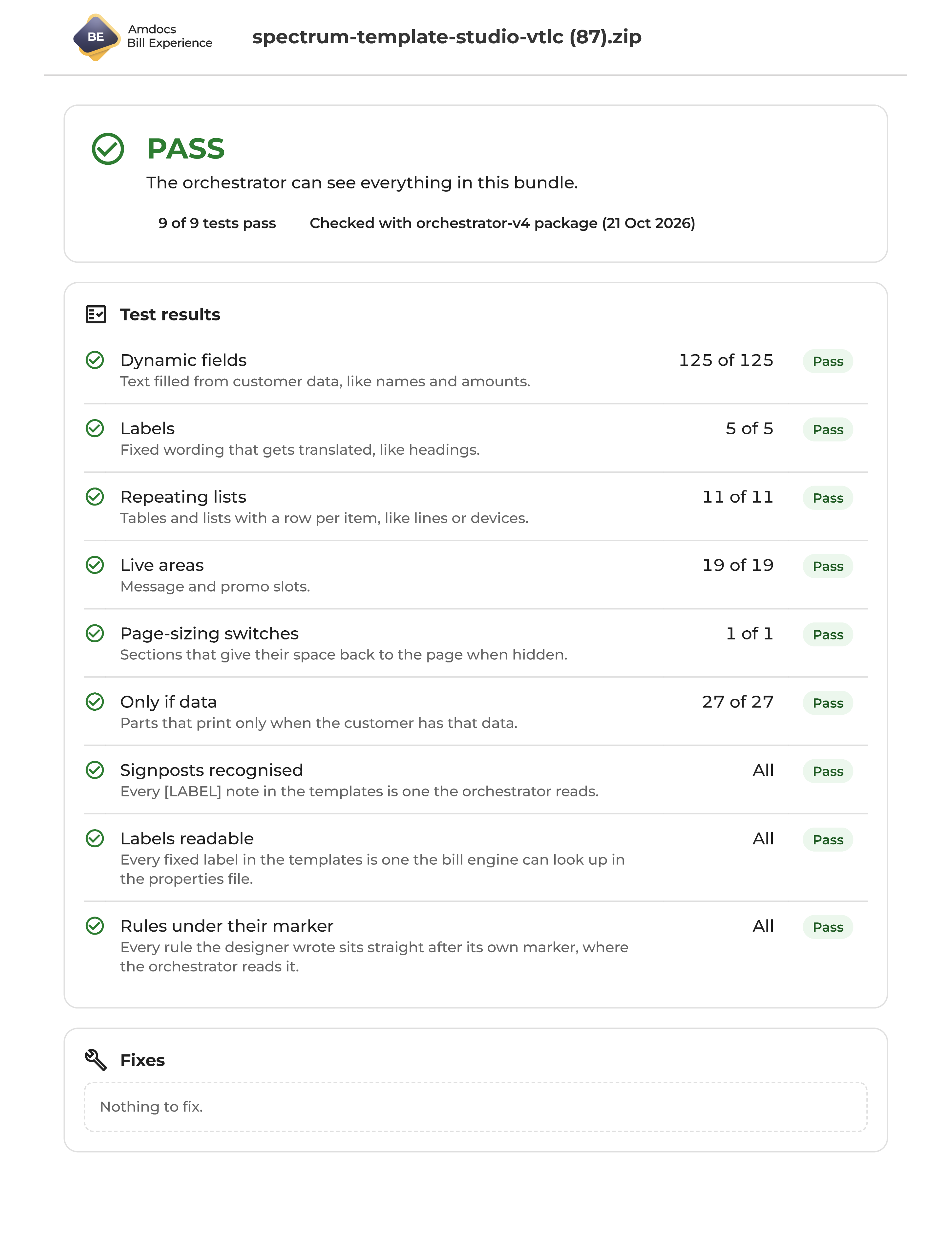
I also built a compatibility report that checks the bundle against the developer agent’s requirements before the agent runs. It points to problems and identifies whether the fix belongs with design or development.
Running the report first saves agent tokens and reduces back-and-forth. Both teams can use the same report, shared as HTML or PDF.
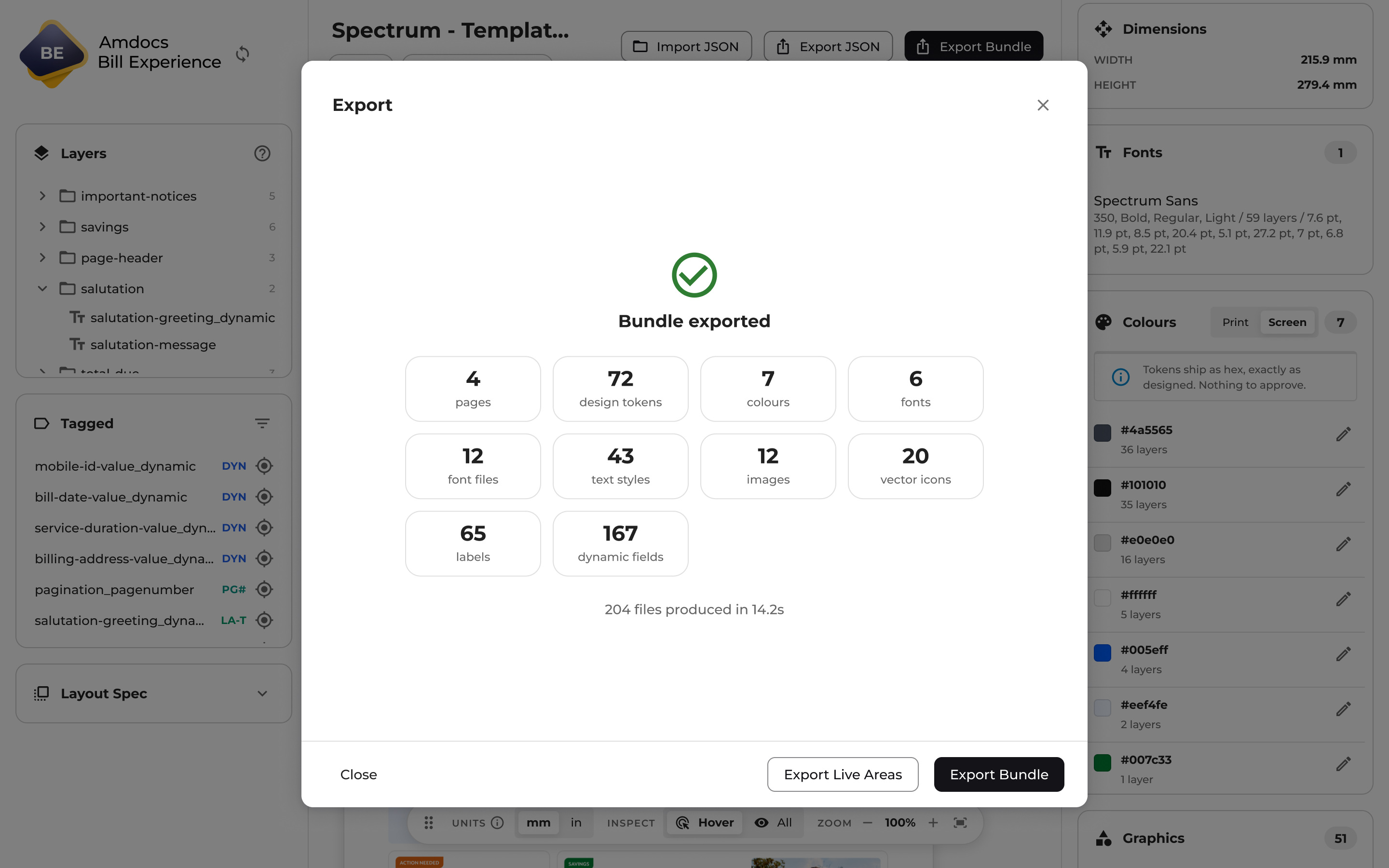
The bundle brought templates, assets, fonts and supporting information together. A saved project JSON let developers, architects and QA reopen the same design, settings and logic in a read-only review mode. Reviewers can inspect the same design and settings, while editing and export controls communicate the limits of that mode.
The layout-specification clarification loop was removed. Developers and QA could refer to the same source design and generated measurements, rather than ask designers to resolve discrepancies introduced while writing documentation. Proof review and production QA could focus on the rendered bill, its data and its behaviour.
The working application
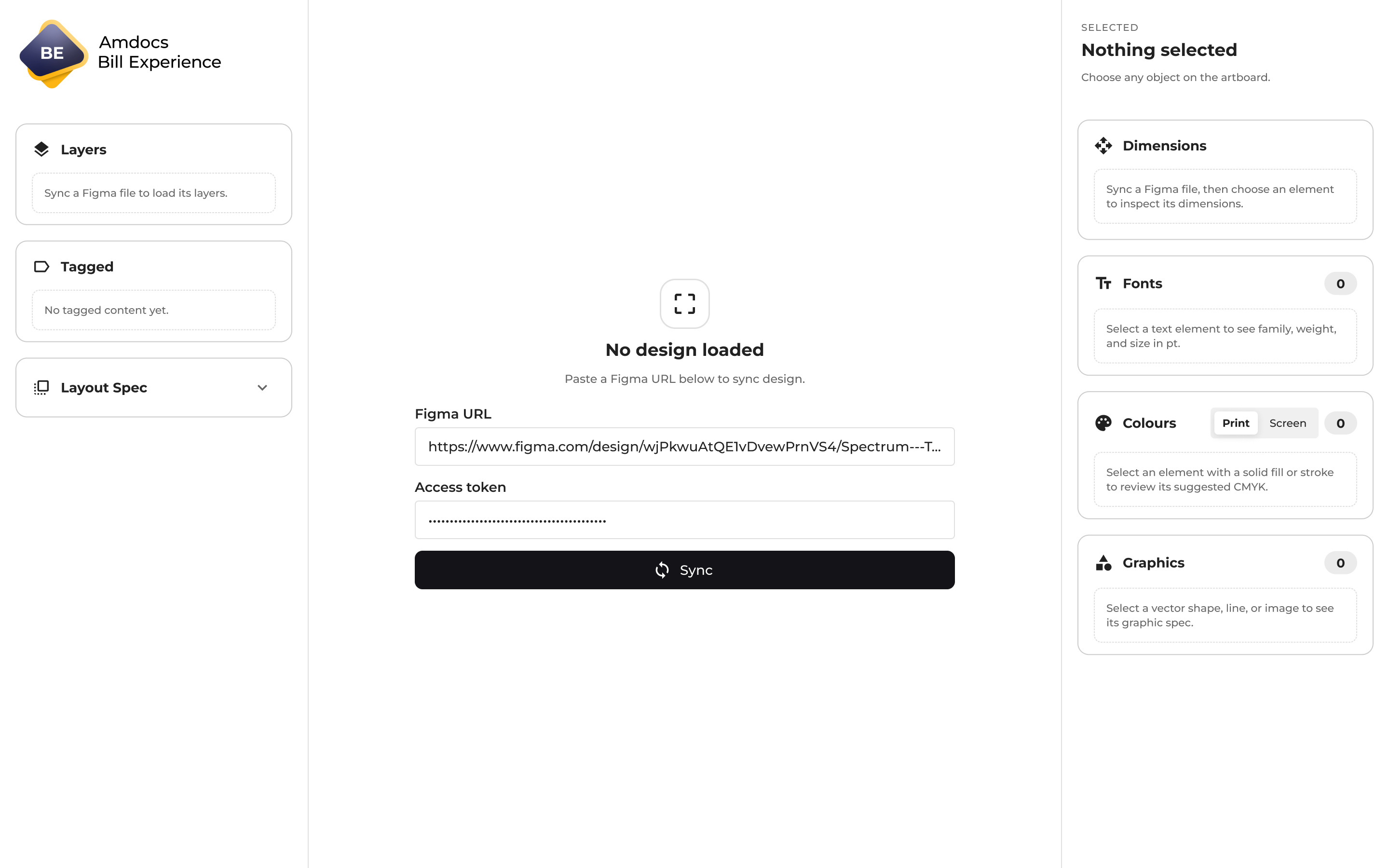
The working application brings these decisions into one canvas-based workflow, from the initial Figma sync to the exported bundle.
Syncing brings in the bill’s pages, layers and styles. Designers can move between pages, select content on the canvas or in the layers panel, and inspect the same structure they prepared in Figma. Measurements come directly from that source, with physical units available for print production.
The inspector turns the selected content into a set of manageable decisions. Is it static or dynamic? Does it repeat for each record? Should it disappear when there is no data? Designers can record the rule beside the element it affects, while section and global logic capture decisions that apply more widely.
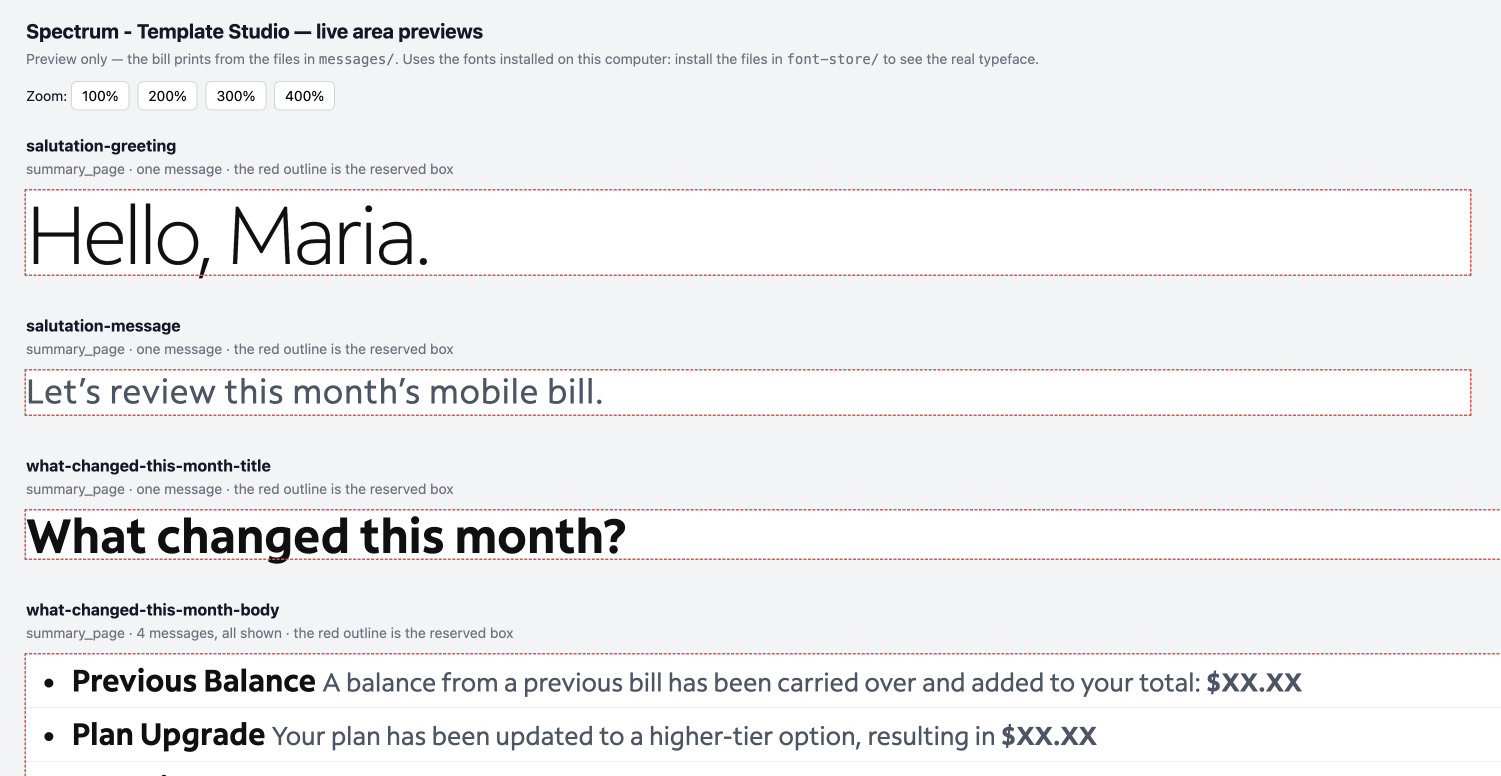
Live areas are regions reserved for messages or images that vary with the customer’s circumstances. I extended the tool to generate their HTML design output and associated assets, including images and styling, directly from Figma. This replaced another piece of manual production work alongside the Velocity template bundle.
The generated live-area files preserve the design, but the live areas still need to be completed manually later in the project, after data mapping. Their final messages, conditions and configuration remain part of that later work.
Velocity templates
Bill-template code
Layout, measurements, content bindings and rules for the developer handoff.
HTML
Designed live areas
Images and styling from Figma. Final content and configuration are completed after mapping.
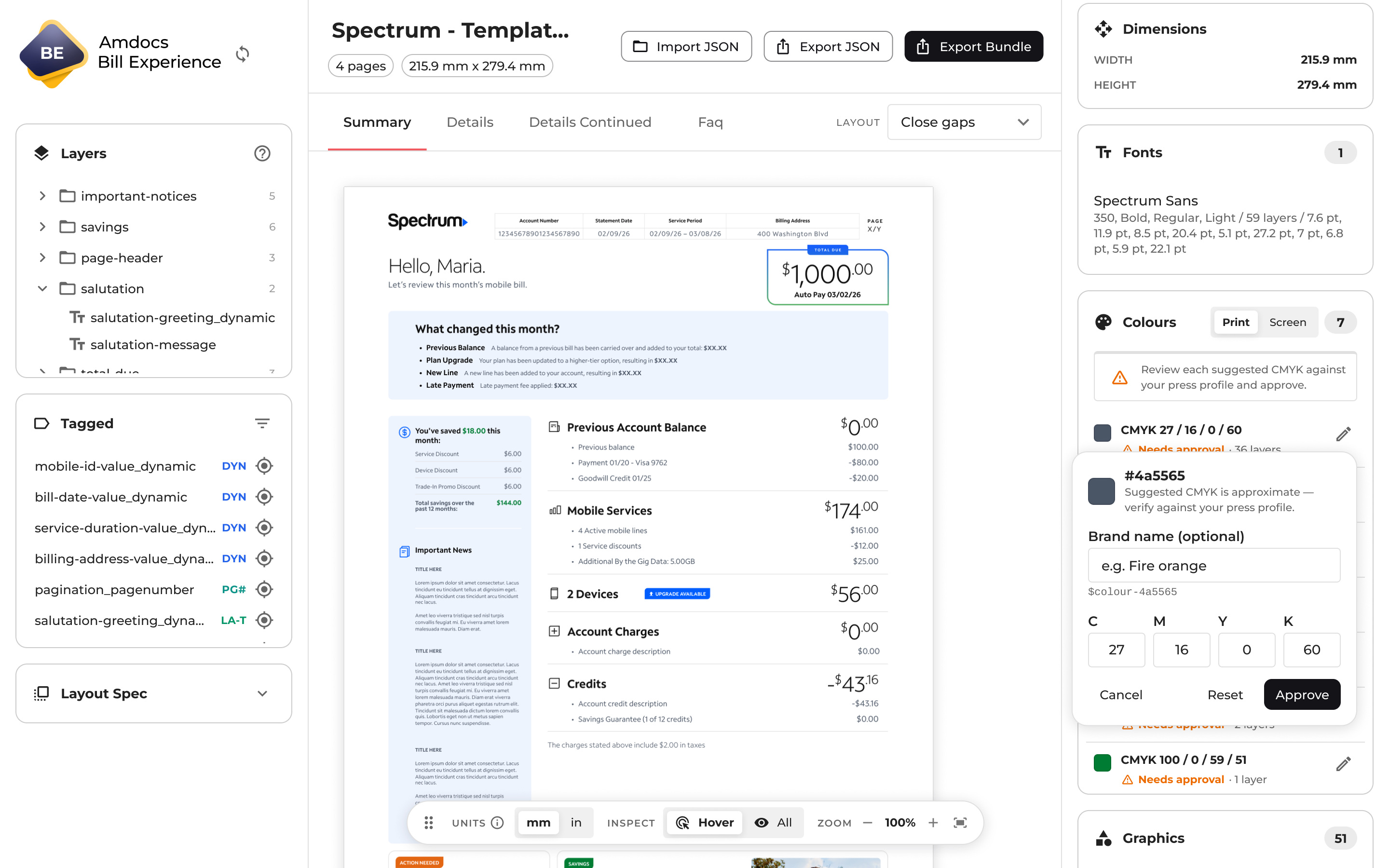
Page and section settings define how the bill responds to changing content. A summary can remain on one page while closing gaps left by absent sections. Detailed charges can grow into continuation pages. Pinned content and keep-together rules preserve the parts of the layout that need to stay in place or move as a unit.
Print settings bring dimensions, fonts and colours into the same workflow. Designers can review suggested CMYK values for approval, while screen output retains the Figma hex values. A tagged-content list makes it easier to audit dynamic fields, repeating groups and live areas across the bill.
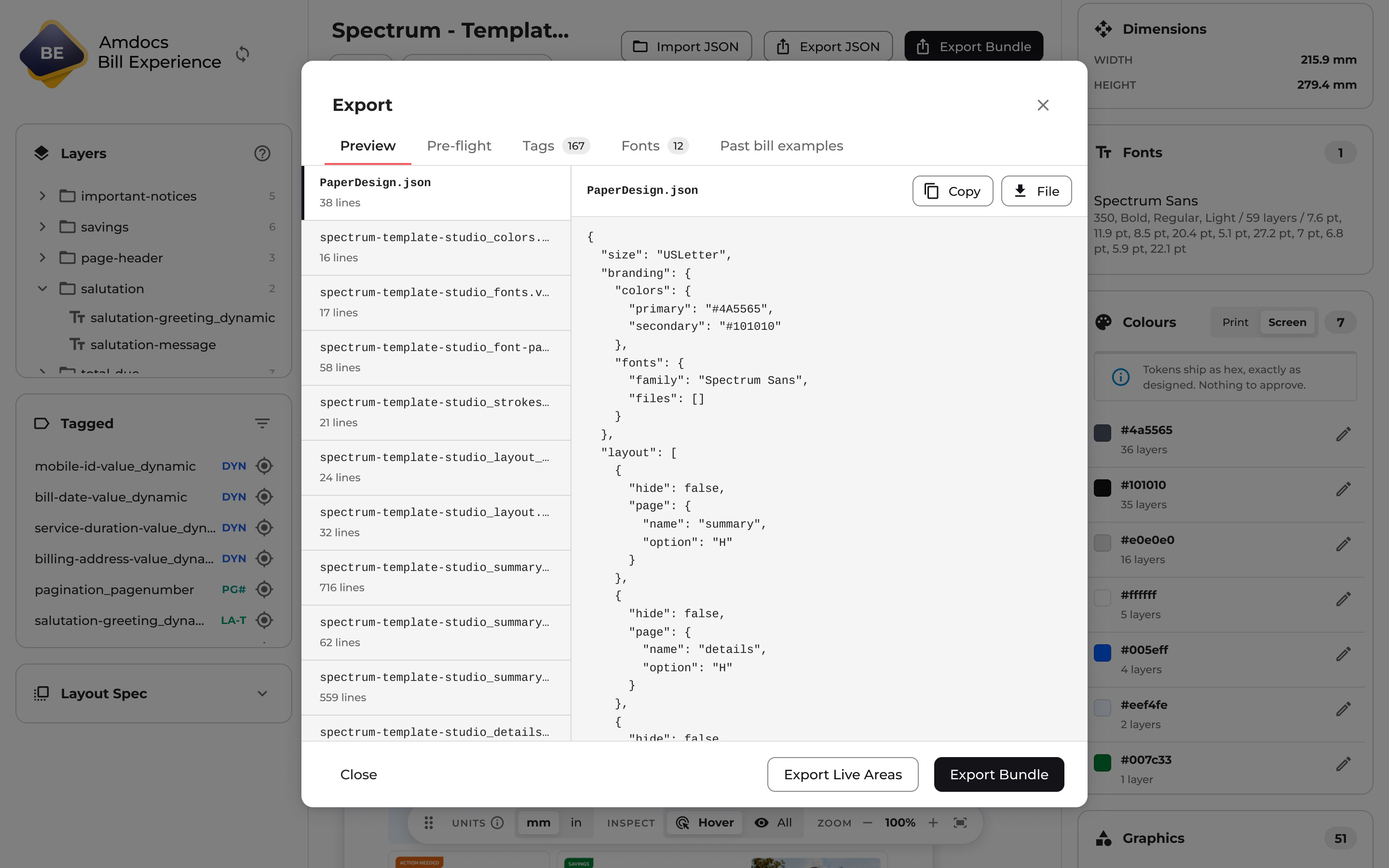
Before handoff, designers can inspect the generated files and resolve pre-flight findings. I also built tests that run dummy data through the generated bundle to stress-test its layout and logic. This lets the team check how the template responds to different content scenarios before connecting real customer data.
The separate compatibility report checks the bundle against the developer agent’s requirements and points to the team responsible for any fixes. The handoff therefore includes two forms of design output: the Velocity template bundle and the live-area HTML with its associated assets. Both draw their visual information from Figma.
A saved project can also be opened in read-only mode, giving developers, architects and QA a shared view of the design decisions. The developer’s agent connects the generated template to mapped customer data and renders the proof. The old cycle of questions about manually documented layout measurements is removed from that handoff.
Building with AI
Cursor was central to how I built Template Studio over approximately six months. I used previous bill-code repositories as references, working backwards from the structure the production system needed.
That connected two sources: the existing code showed what the tool needed to produce, while Figma provided the design structure it needed to read. I used Cursor to build the application and supporting tools around that connection.
My responsibility was to define what the tool needed to do: preserve design structure, capture content behaviour, handle print requirements and produce a useful developer handoff. AI helped me turn those requirements into working software.
The result extended my contribution beyond screens and specifications. I could build the tool that changed how those designs moved into development.
Outcomes and next steps
2
manual production stages replaced
1
design source of truth
Template Studio established a working path from Figma designs to generated bill-template code. It brings layout information, content behaviour and developer guidance into the same handoff. Live-area HTML and assets extend that handoff beyond the bill-template code, replacing design-production work that was previously manual.
The workflow removes manual template creation and the repeated layout-specification questions that previously sat between design and development. In my assessment, removing that work has taken at least two months out of the production process.
The customer pilot is ongoing, with very successful early tests. Generated bundles have already been connected through the developer’s agent. The compatibility report adds another improvement: problems can be located and assigned to the right team before spending tokens on an agent run.
Template Studio continues to evolve. Each new bill design can introduce complexities the tool does not yet handle, so the pilot also informs what I refine next.
The change creates a route to faster, less costly delivery and reusable bill templates prepared ahead of customer projects.
Reflection
This work went beyond my responsibilities as a product designer and beyond what I had expected to be able to build. Understanding the bill’s layout, data and rules gave me the context to take ownership of a wider production problem.
Template Studio was launched to the Bill Experience team as a revolutionary change in how we could deliver bills. It moved my contribution from designing and documenting the experience to building the application that carries it into production.
AI expanded what I could deliver. The value came from applying it to the right problem and carrying the work through to a functioning tool.
Successful early integration has shown the workflow can work beyond the application itself. The next challenge is to make it reliable across a wider range of bill designs and record the delivery improvements as the pilot continues.